
A Fun New Photo Editing Tool: Colorcinch
f you’ve followed me for a while, you know I’m a big fan of Snapseed. It’s been my go-to app for years for my professional-looking edits. I use it to fix perspective, adjust exposure, balance color, and bring out the best in my images.
I'm also loving Canva's new selection of Magic Studio ai editing features, especially for more creative edits.
Recently, I was introduced to new editing tool called Colorcinch. This is another great option when you want to get creative, add a bit of artistic flair, and have some fun with your edits.
What Is Colorcinch?
Colorcinch is a web-based photo editor that runs on your internet browser. This is welcome news if you prefer working on a computer instead of a phone.There’s no software to install and the interface is simple and easy to navigate. t's a fun and creative tool to help you experiment, play, and create something a little more unique.
What You Can Do With It
Colorcinch preforms all the usual edits such as cropping, exposure, color adjustments, etc. What I enjoy about the app is it gives me options to turn my photos into unique works of art.
Below are just a few examples of creative edits that can be made with Colorcinch.
-
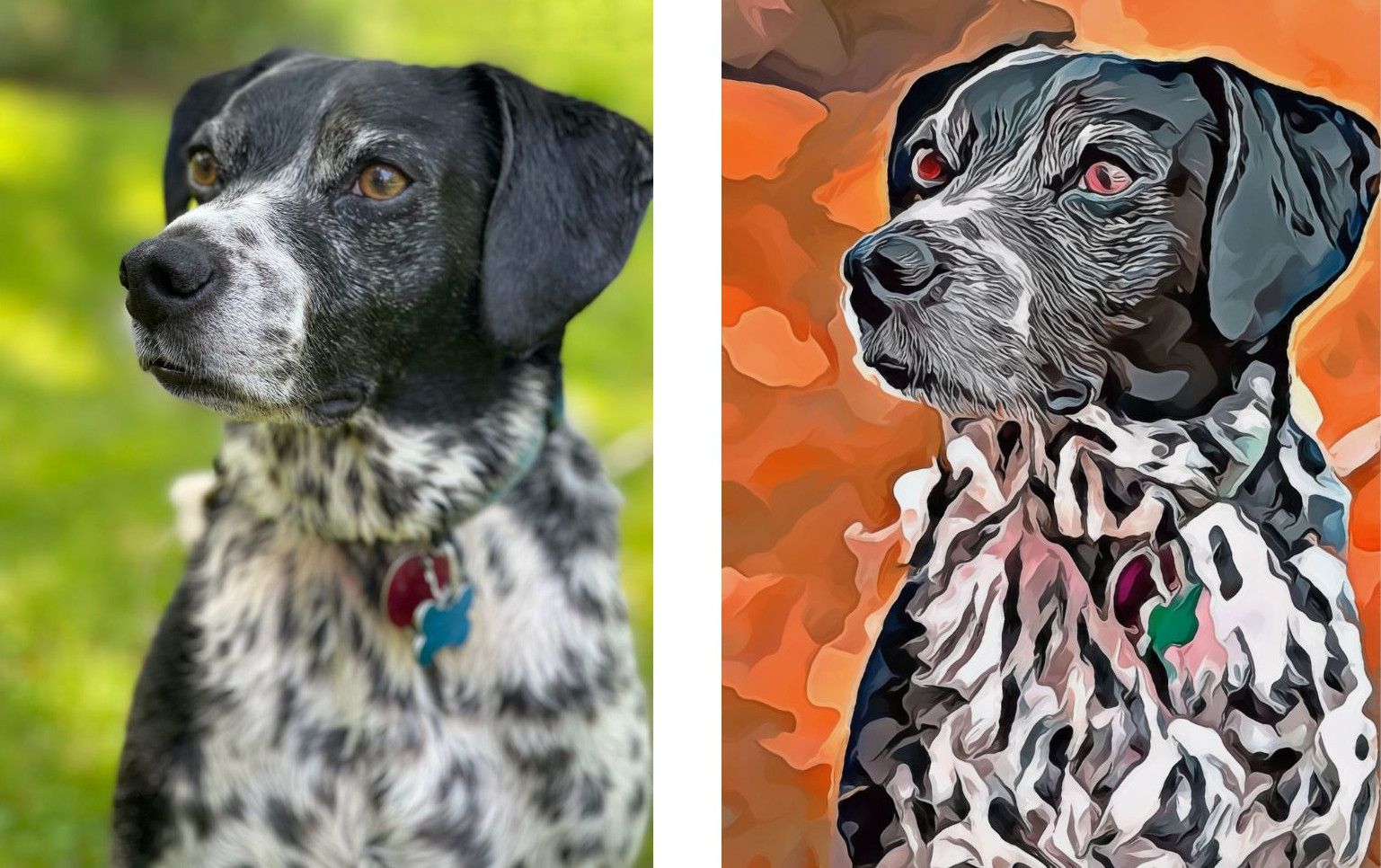
Watercolor and oil painting effects for a creative, artistic look. I turned a photo of my dog Nevers into a painting.
-
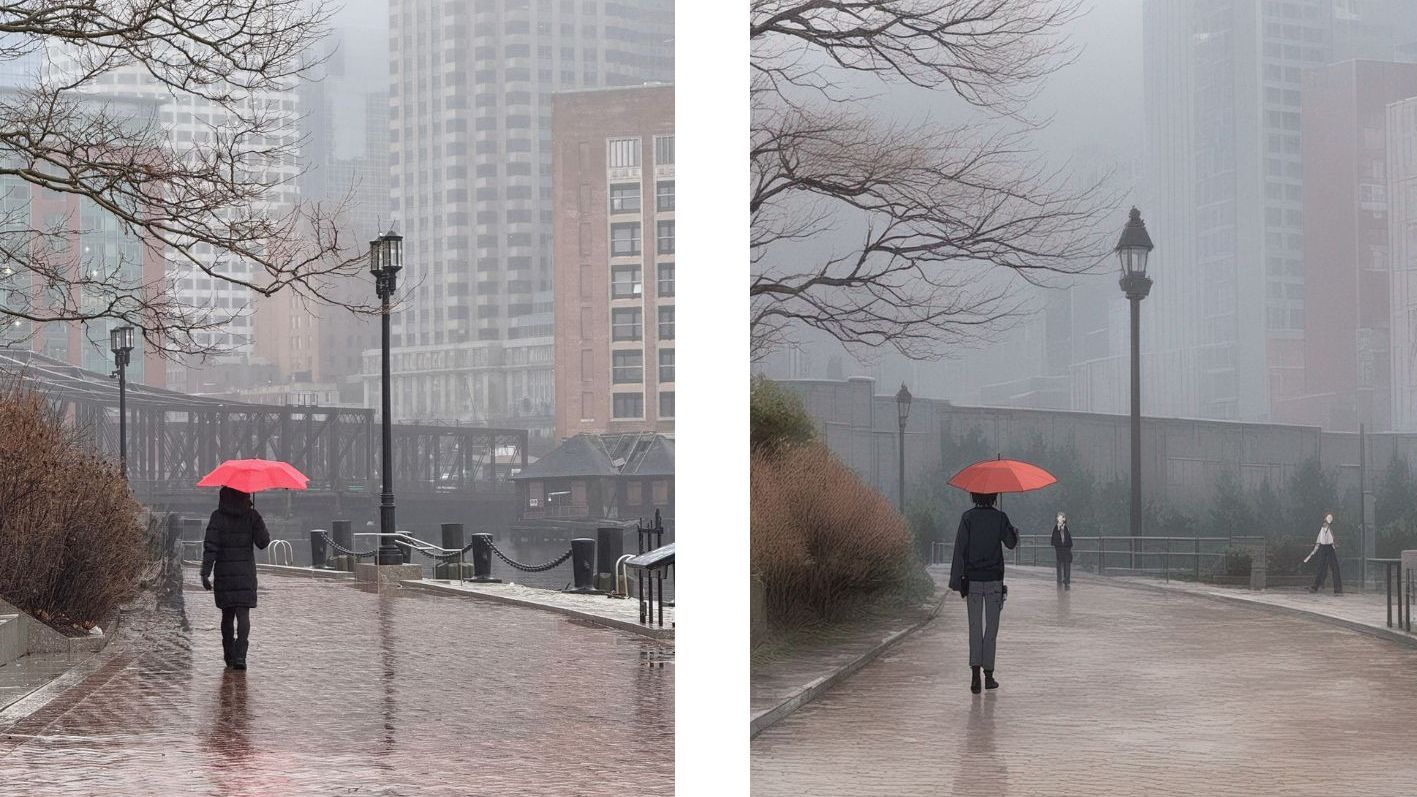
Ai effects such as Ghiblify, which turns your image into a cartoon. I tried the effect on a family photo. The ai did turn me into a young boy but I'll give it a pass since the image was a bit complicated. It did a great job however on the clothes, hats and background.

-
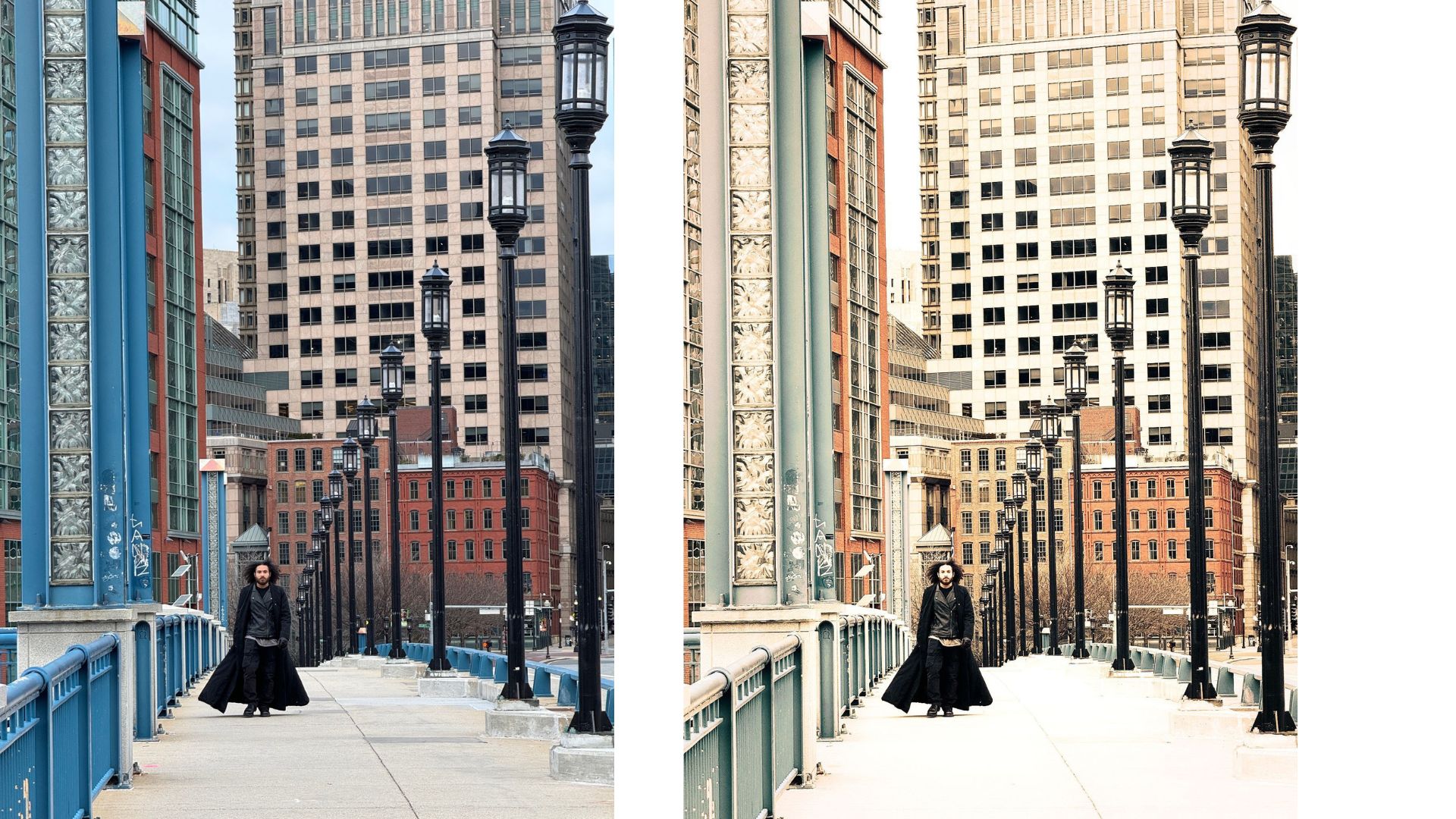
A large selection of filters to create almost any effect you desire. I used one of the many vintage filters to modify my original image on the left.
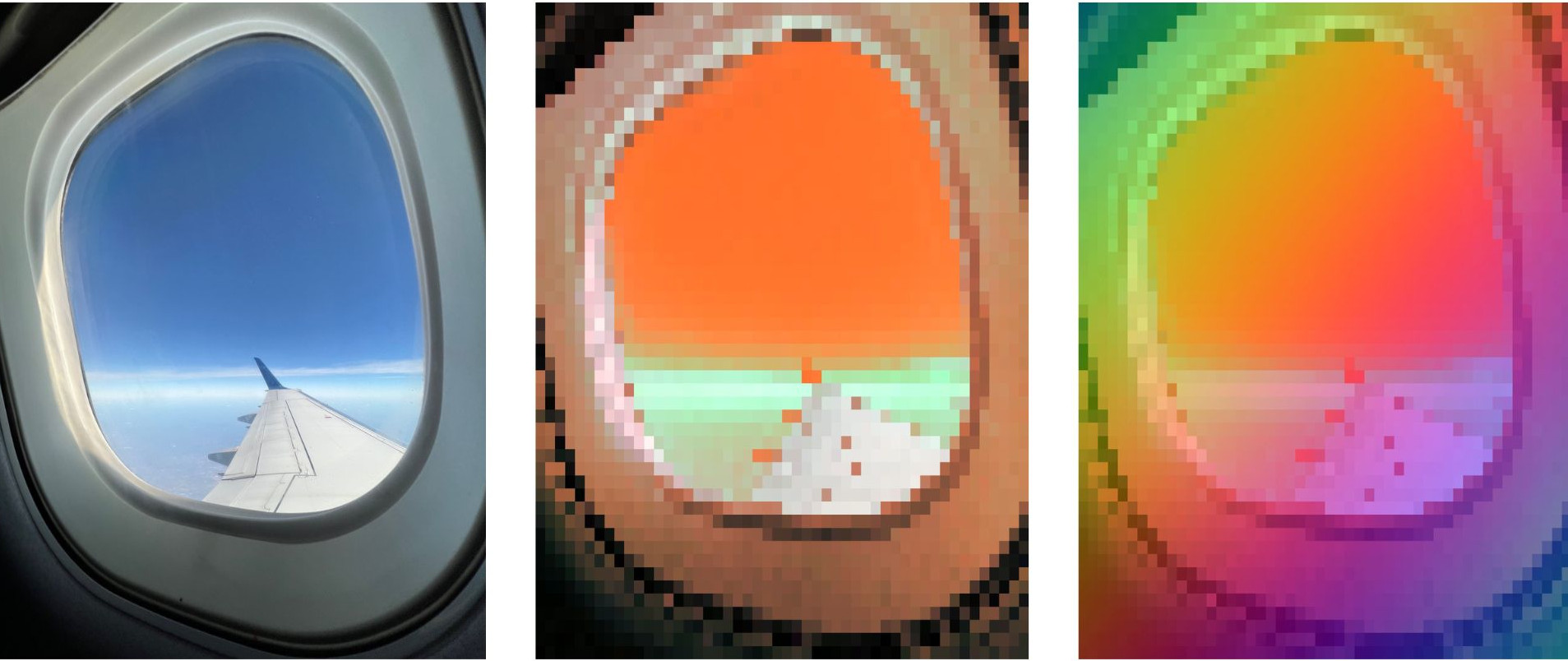
In the mage below, I used both the color shift and pixelate filers to create something unique from my original image of the plane window.
For someone like myself, who is not tech savvy, I found it very user friendly.
Even if you already use Snapseed, Lightroom, or another editing tool, Colorcinch can be a great addition when you want to get extra creative.
A Few Things to Know
-
While it offers some basic editing tools for free, most of the filters, effects, and higher-resolution features are part of the Pro version, which is a paid upgrade. If you want access to the more creative features, like sketch effects, painting filters, or artistic overlays, you’ll need the Pro plan.
-
The Pro version is currently around $5 per month if you pay annually
-
I suggest doing basic edits first in another app, then bringing the image into Colorcinch for the creative extras
If you love the artistic side of photography and want to go beyond the usual filters, it’s definitely worth trying out. You can also check out my other recommended apps that turn photos into paintings in this post HERE.

What's in My Camera Bag?
If you want to peek behind the magic curtain and start using the exact same tools that I use, click below.